
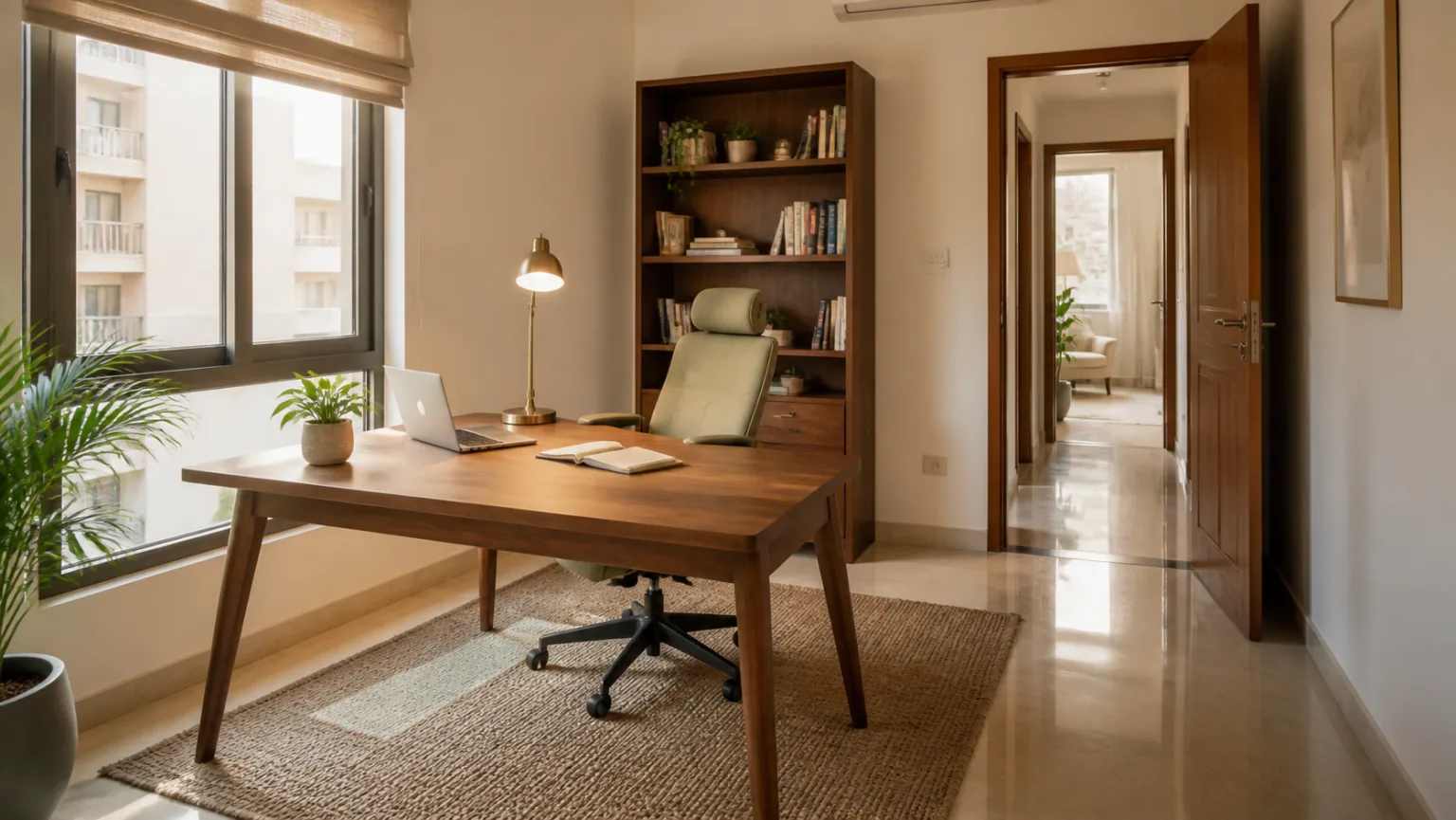
Home office Vastu in one sentence
If books and records occupy a large part of the workspace, combine this page with the Bookshelf Vastu and book-storage guide for stable wall placement, access and safety.
Choose the quietest bright corner (north/east if available), sit with support behind you, control glare and noise, and keep the desk surface clean so you can start work without resistance every day.
Top priority
Ergonomics + lighting. Comfort decides productivity more than any direction rule.
Premium rule
The desk stays ready. No permanent clutter. A clean surface is a clean mind.
Boundary rule
Separate work zone from sleep zone when possible. Mixing zones makes the mind restless.
Direction is guidance
North/east zones are common preferences. If you can’t, choose the quietest bright corner.
Ideal direction
Many Vastu interpretations connect work and clarity with the north and east directions. As a practical guideline, choose a north/east zone for your home office if you have choice. These zones often feel bright and “fresh,” which supports focus.
If your home office must be in another direction, don’t treat it as a failure. Focus is created by environment and habits: glare-free light, comfort, and reduced distractions. Direction is a gentle guide, not the only lever.

Desk placement (support, visibility, and confidence)
For a detailed comparison of direct-window, side-window and wall-facing setups, read Home Office Desk Vastu: Should You Face a Wall or Window?
The desk is your work “command center.” A good placement makes you feel supported and reduces distractions. A bad placement makes you feel exposed, creates glare, or forces you to work in a busy passage. Many people interpret this discomfort as “bad Vastu,” but it is often a simple layout issue.
Support behind you
If possible, sit with a wall behind you rather than an open doorway. It reduces distraction and increases confidence.
Avoid facing glare
Don’t face a bright window directly. Rotate the desk or use curtains to reduce eye strain.
Keep doors out of line
If the desk is in the line of a frequently used door, movement breaks focus. Use a screen or reposition.
Circulation space
Keep enough space to pull the chair out comfortably. Tight spaces create daily friction.
Ergonomics (the true foundation of productivity)
No Vastu improvement can compensate for pain. If your chair hurts your back or your screen height strains your neck, your brain will resist work. A premium home office starts with basic ergonomics: chair support, desk height, and screen position.
- Chair: stable, supportive, comfortable for long sessions.
- Screen: at a height that avoids neck strain; reduce glare.
- Keyboard/mouse: positioned so shoulders relax and wrists stay neutral.
Best colors (calm and focus-friendly)
Home office colors should reduce visual fatigue. Premium offices often use a calm palette with one subtle accent. Too many colors and patterns create visual noise.
Best base colors
Warm white, ivory, light grey—bright and professional.
Calm accents
Muted blue, sage green, soft teal (small accents). Helps keep the mood steady.
Avoid overload
Too many mixed patterns and posters. Use one clean wall at most.
Lighting (layered, glare-free, premium)
For reliable connectivity without hiding equipment in hot cabinets, read the Wi-Fi Router Vastu placement guide.
Lighting can make or break productivity. Many “bad Vastu” complaints in home offices are actually lighting issues: glare on the screen, shadows on the desk, or a harsh bulb tone that creates fatigue. Fix lighting early—it has the fastest impact.
Task lamp
Use a lamp that lights the work area without shining into your eyes. Comfort improves endurance.
Glare control
Curtains, blinds, or a desk angle change can remove headaches and eye strain.
Warm vs cool
Use neutral light for daytime work; warmer light for evening to avoid overstimulation.
Avoid dark corners
Dark corners invite clutter. Light the space so it stays easy to maintain.
Noise control (focus is a sound problem too)
Many home offices fail because they are in a noisy passage: near the TV, kitchen, or front door. If you cannot move the office, reduce noise and echo using soft furnishings, curtains, and a door boundary. Calm sound equals calm mind.
If you take frequent calls, treat your office like a “studio”: reduce echo, control background noise, and keep a clean visual background behind you. People often call this “professional energy.” In Vastu language, it is clarity and order. In modern work life, it is simply good communication.
Echo control
Rugs, curtains, and soft panels reduce echo. Your voice sounds calmer and meetings feel smoother.
Background discipline
Keep a clean wall or shelf behind you. Visual clutter in the background increases stress for you and others.
Door boundary
If possible, close the door during deep work. If you can’t, use a screen to signal “work zone.”
Family agreement
A simple “meeting time” rule reduces interruptions. A calm office needs a calm routine.
Video calls and client-facing work (make it look premium)
A home office today is often client-facing. Your background, lighting, and sound influence how professional you feel and how others perceive you. A premium setup does not require expensive furniture; it requires consistency: one clean backdrop, stable lighting, and a tidy desk.
Use a soft front light for video calls and avoid sitting with a bright window behind you, which makes your face dark. Keep the camera at eye level. These are practical “Vastu” choices because they reduce strain and create clarity.
Storage and paperwork (avoid the “paper mountain”)
Many home offices become messy because storage is unclear. Papers pile up, devices spread across the desk, and the work zone becomes stressful. Premium offices hide clutter using closed storage. Your goal is not to own more shelves; your goal is to create one simple system.
- One inbox: one tray or folder where incoming papers go.
- One archive: one box or drawer for older documents.
- One weekly reset: 15 minutes to clear, file, and remove unnecessary papers.
When paperwork is controlled, the desk stays clean. That is when the office feels premium and your mind feels lighter.
Digital clutter: tabs, notifications, and “mental noise”
Modern work is not only physical clutter. Digital clutter can be worse: endless tabs, notifications, and constant switching. If you want a Vastu-style approach to digital clutter, treat it like you treat physical clutter: reduce what is visible and keep one clear focus at a time.
A simple remedy is the “one next step” rule: keep one task visible on paper, close unnecessary tabs, and silence notifications during deep work. This is the equivalent of keeping the desk surface clean.
Work–life boundary (the most important modern Vastu)
Many people work from home and feel constantly “on.” The home office then leaks into the living room and bedroom. If you want the home to feel balanced, create a boundary: work has a zone and a time. Even if your office is a corner, you can protect it with a routine: start work intentionally, end work intentionally, and reset the desk.
Start ritual
Open the laptop, turn on the task lamp, write the first task. Signal “work mode.”
End ritual
Clear desk, close the laptop, and put work items away. Signal “home mode.”
No work on the bed
Protect the sleep zone. This single boundary improves rest and productivity.
Renters: home office Vastu without renovation
Rentals often limit wall changes and built-in storage, but home office improvements are usually easy because they depend on furniture and lighting. A portable lamp, a comfortable chair, and a closed storage box can create a professional setup quickly.
Portable lighting
A good lamp is one of the best ROI upgrades for productivity.
Foldable boundary
A folding screen separates the office corner from living activity and reduces distraction.
Closed storage box
Keep office clutter inside one closed box so the home looks premium after work hours.
Cable clips
Small clips or ties keep the desk tidy. Visual calm improves mental calm.
Mini case study: “low focus” improved with environment
A common scenario: the home office is placed near the living room TV, and the person feels distracted and tired. They try many productivity tips, but the environment keeps pulling attention away. When the desk is moved to face a calmer wall, a screen blocks movement, a task lamp improves visibility, and cables are organized, the person often reports a noticeable increase in focus within days.
This is why we treat home office Vastu as environmental design. When the space reduces friction, you work better naturally.
Cable discipline and visual clutter
Cables, chargers, and devices can ruin the premium look quickly. Create one charging zone and hide cables. A tidy desk looks professional and reduces mental noise.
One charging station
Keep chargers in one place. Avoid cable webs across the desk.
Hide wires
Use clips or channels. A clean desk is the premium signal of order.
Minimal surface
Keep only daily essentials visible. Store the rest closed.
Common mistakes
Home offices feel “wrong” when they are uncomfortable, messy, or noisy. Fixing those problems usually produces better results than chasing small symbolic rules.
Mistake: desk in a passage
Fix: rotate the desk or add a screen so movement doesn’t constantly distract you.
Mistake: glare on screen
Fix: change angle, add curtains, or reposition lighting.
Mistake: uncomfortable chair
Fix: upgrade or add support. Pain becomes distraction.
Mistake: cable chaos
Fix: one charging station and cable clips. Visual calm supports mental calm.
Mistake: desk becomes storage
Fix: create a storage system and clear the surface daily.
Mistake: office in sleep zone
Fix: create a boundary so work doesn’t spill into bedtime.
Do’s & don’ts
Do: keep the desk ready
A ready desk reduces procrastination and makes work start easier.
Do: control glare
Glare drains energy. Fixing it is a real remedy.
Do: protect quiet
Choose the quietest corner; soften echo with curtains and rugs.
Don’t: mix work with bed
Avoid working from bed. It confuses the sleep signal.
Don’t: tolerate cable chaos
Cables create visual stress. Hide and organize them.
Don’t: keep clutter visible
Premium offices hide clutter. Use closed storage.
Remedies (no demolition)
You can improve your home office quickly without changing rooms. Most improvements come from lighting, organization, and boundaries.
Lighting upgrade
A task lamp + glare control improves comfort instantly.
Boundary screen
A folding screen can separate an office corner from living activity.
One storage system
Use one drawer organizer or file box so papers don’t spread.
Desk reset routine
End the day with a 2-minute reset so tomorrow starts clean.
Myths vs facts
Myth: direction alone creates success
Fact: success depends on habits, comfort, and focus. Direction helps only when basics are strong.
Myth: more décor improves energy
Fact: visual calm improves focus. Keep décor minimal and intentional.
Myth: home offices must be large
Fact: small corners work well with good light, cable discipline, and a boundary.
Myth: you must rebuild
Fact: lighting, organization, and ergonomics deliver most of the improvement without renovation.
7-day home office reset plan
Use this plan to create a premium work zone in a week.
Day 1: choose the corner
Pick the quietest bright corner. Map directions if you want north/east preference.
Day 2: ergonomics
Fix chair and screen height. Comfort first.
Day 3: glare control
Adjust desk angle or curtains to remove glare.
Day 4: lighting upgrade
Add a task lamp and choose comfortable bulb tone.
Day 5: declutter the desk
Keep only essentials visible. Create one tray for daily items.
Day 6: cable control
Create one charging station and hide wires.
Day 7: routine
Set a 2-minute daily desk reset so tomorrow starts clean.
Bonus: boundary
Add a screen or shelf to separate office from living activity.
30-day maintenance rhythm
Premium offices stay premium through maintenance.
Weekly
Clear papers, wipe the desk, and reset cables.
Monthly
Archive documents, remove unused items, and refresh the storage system.
Seasonal
Review lighting, chair comfort, and noise boundaries as life changes.
Ongoing
Protect the clean-desk habit. It’s the best productivity remedy.
Home office checklist (print-friendly)
Direction
North/east preferred if possible; otherwise quietest bright corner.
Ergonomics
Comfortable chair, correct screen height, relaxed posture.
Lighting
Task lamp + glare control; layered light.
Noise
Quiet corner; echo reduced; boundary from TV/kitchen.
Cables
One charging station; wires hidden.
Routine
Daily 2-minute desk reset; weekly paper reset.
Summary: 6 home office rules that always work
If you want the simplest approach, follow these six rules. They work in every home—large office rooms and small desk corners—because they focus on what creates real productivity: comfort, clarity, and a clean boundary.
1) Comfort first
Fix chair, screen height, and posture. Pain is the biggest productivity killer.
2) Light + glare control
Use a task lamp and reduce window glare. Eye comfort improves focus.
3) Quiet corner
Reduce interruptions and echo. Calm sound supports deep work.
4) Clean desk
Keep the surface minimal. Store everything else closed so the desk stays ready.
5) Cable discipline
One charging station and hidden wires. Visual calm supports mental calm.
6) Work–life boundary
End the day with a desk reset and avoid working from bed. Protect sleep.
Direction note: north/east is a common preference, but even a “wrong direction” office can perform beautifully when these rules are strong and consistent.
If you want the home office to feel premium immediately, do a “camera test”: open your laptop camera and look at what appears behind you. Remove visual clutter, add a warm lamp, and keep one calm background. When the background looks clean, you feel more professional and meetings feel smoother today.
FAQ
Is north direction mandatory for home office?
No. North/east zones are common preferences, but productivity depends more on comfort, lighting, and quiet. Choose the best corner you can maintain consistently.
What if my home office is in the bedroom?
Create boundaries. Keep the desk away from the bed and do a nightly reset so work clutter does not spill into sleep time.
What is the best remedy for low focus?
Improve lighting and remove friction: clean desk, one clear task, and reduced distractions. Environment shapes behavior strongly.
Summary
Home office Vastu is a focus discipline: comfortable posture, glare-free light, quiet background, and a clean desk boundary. Direction preferences can guide planning, but daily results come from environment and routine. Keep the desk ready, and productivity becomes easier.
Next recommended reads
If your home office stores property papers, business records, jewellery bills or a compact safe, use Locker Safe Vastu to plan secure, dry and discreet document storage.